Step 1 of 6
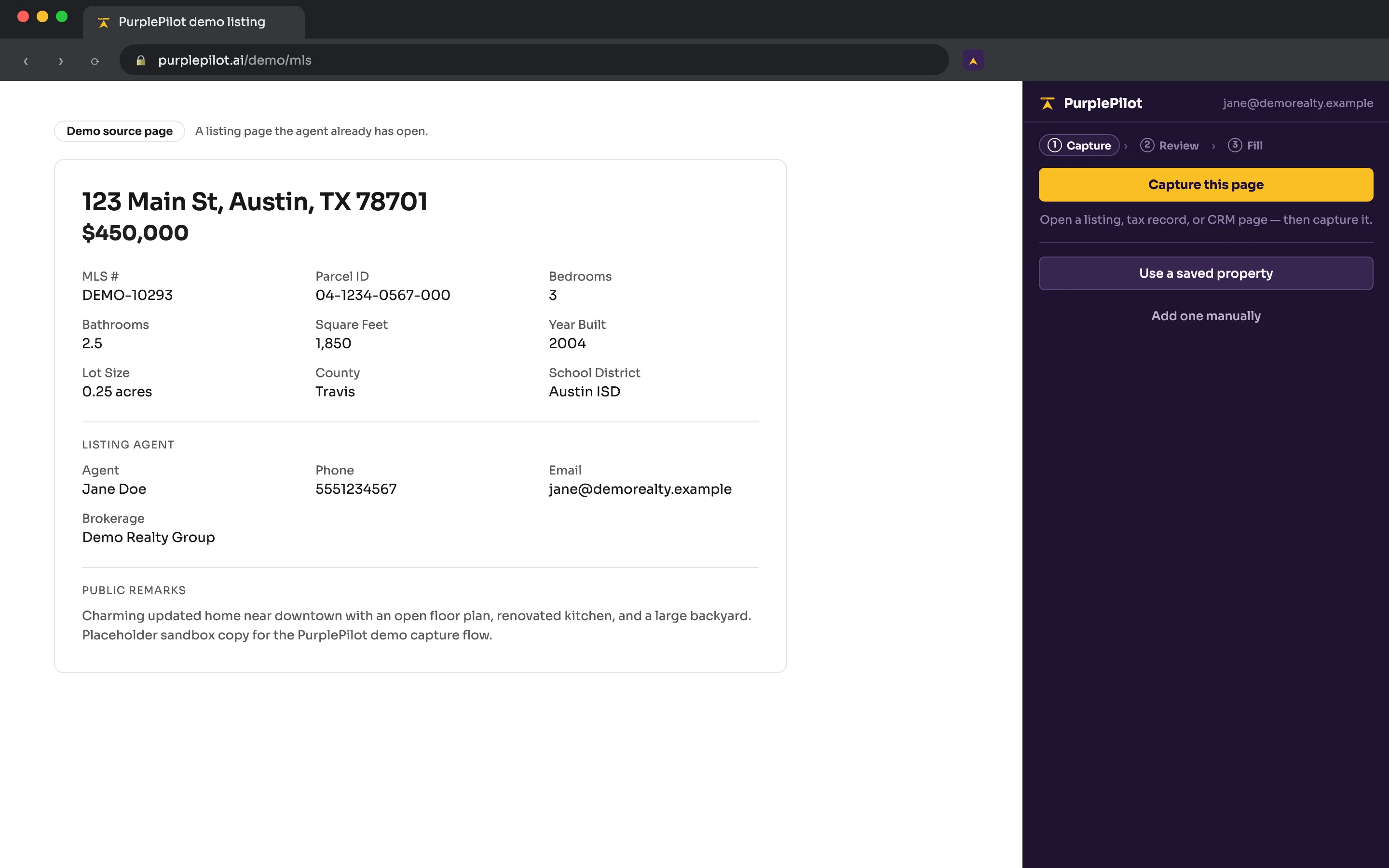
Open a page you already have open
An MLS listing, a tax-record page, a CRM record, or an email — anywhere property details are visible on screen.
Step 2 of 6
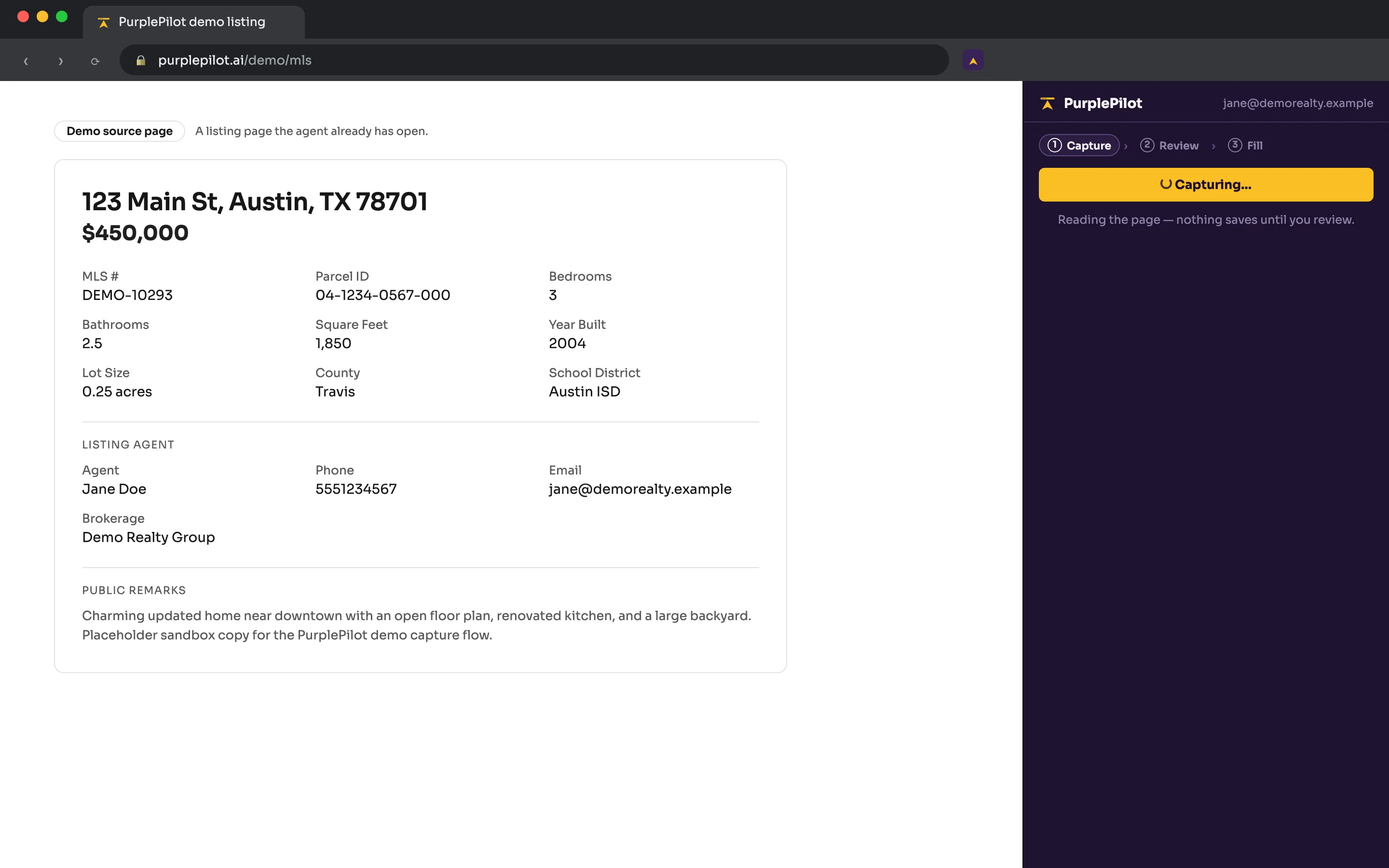
Click Capture this page
The extension reads the visible, structured content of that page — labels, tables, and form values — and proposes a normalized property record. It never reads pages you haven’t opened, and it never stores full page HTML or screenshots.
Step 3 of 6
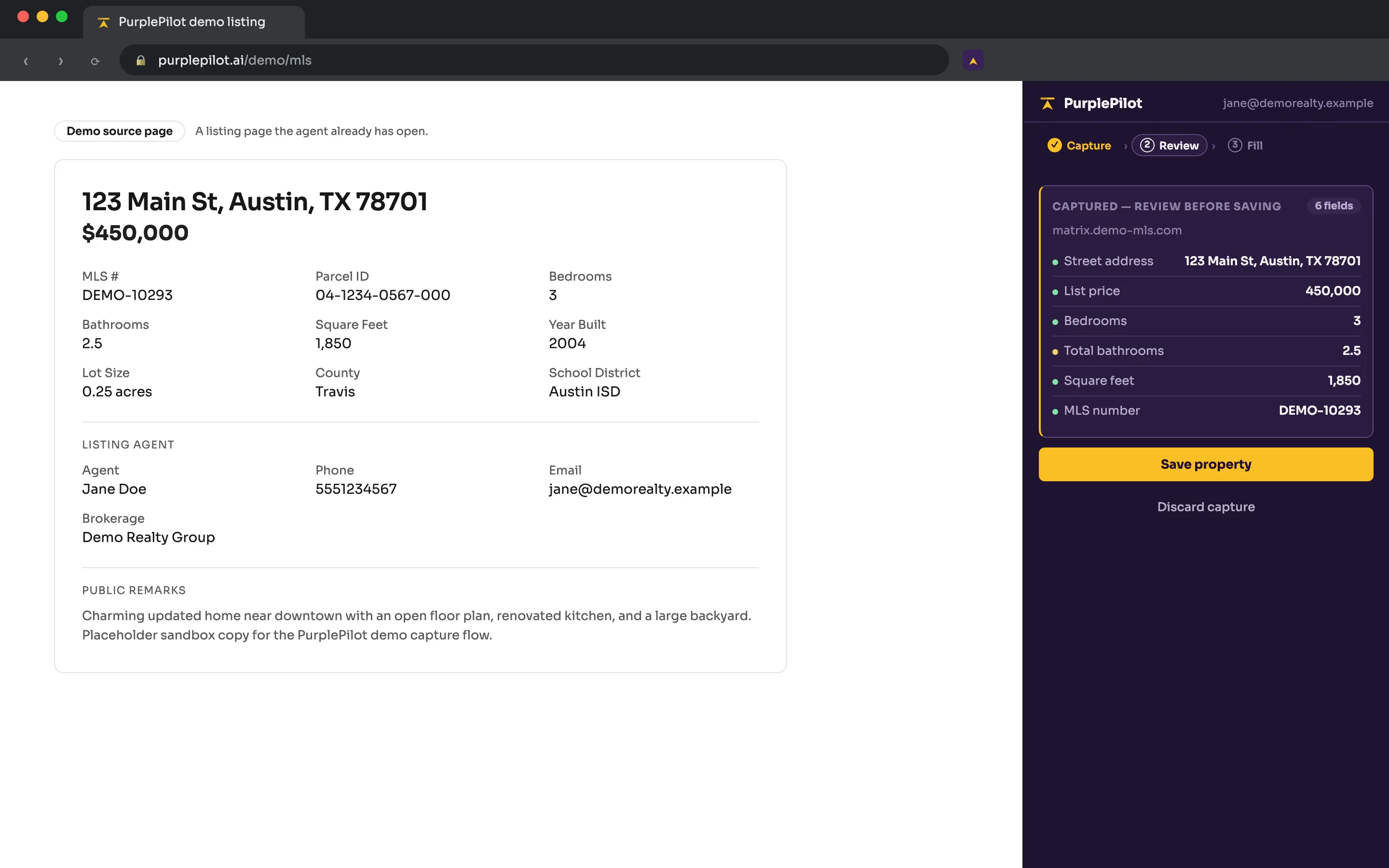
Review and correct
Every captured value shows where it came from and how confident the extraction was. Fix anything before you save. AI, when enabled, is advisory only — it never overrides a value you’ve confirmed.
Step 4 of 6
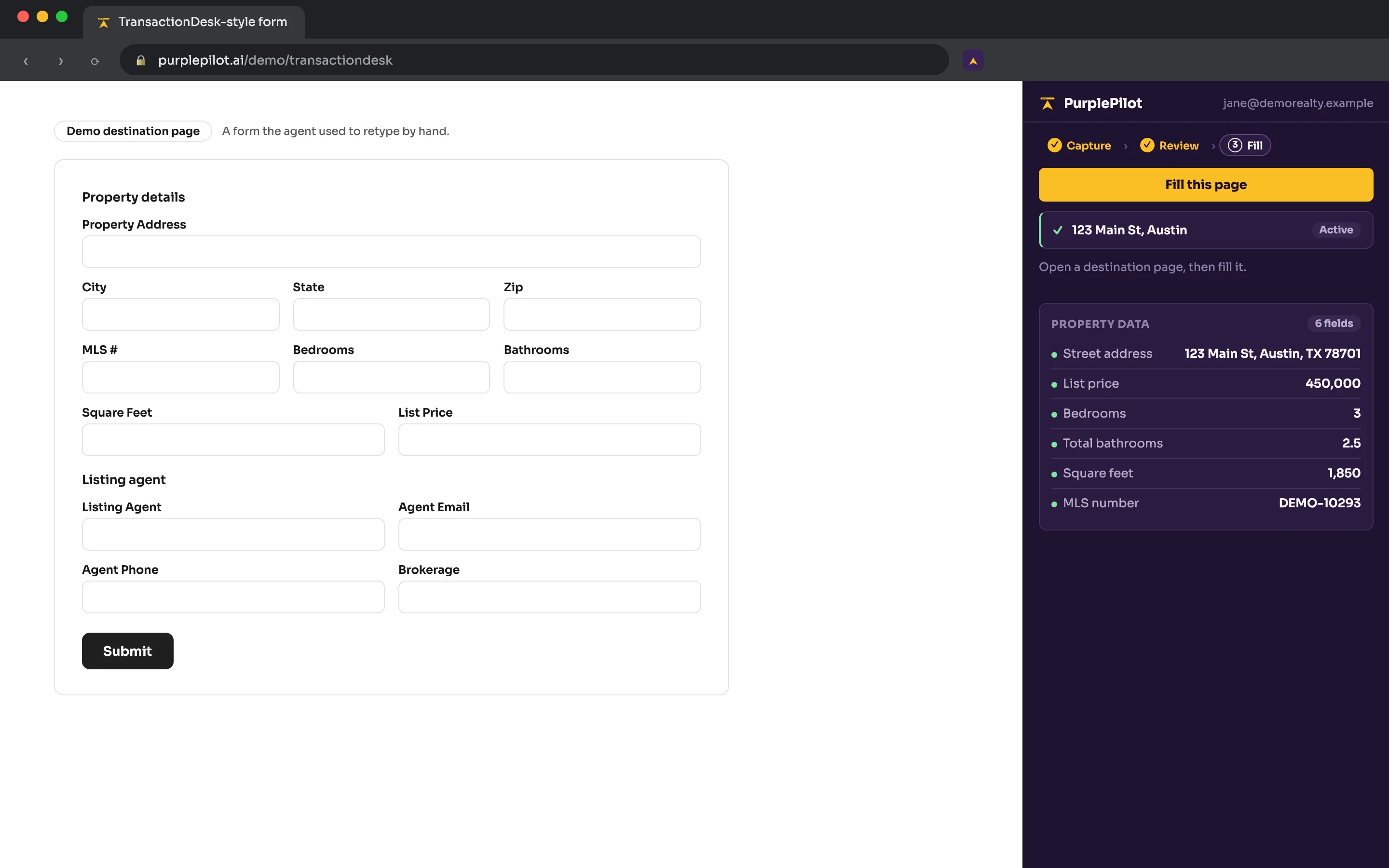
Open a destination portal
TransactionDesk, Dotloop, SkySlope, an MLS input form, or a brokerage portal.
Step 5 of 6
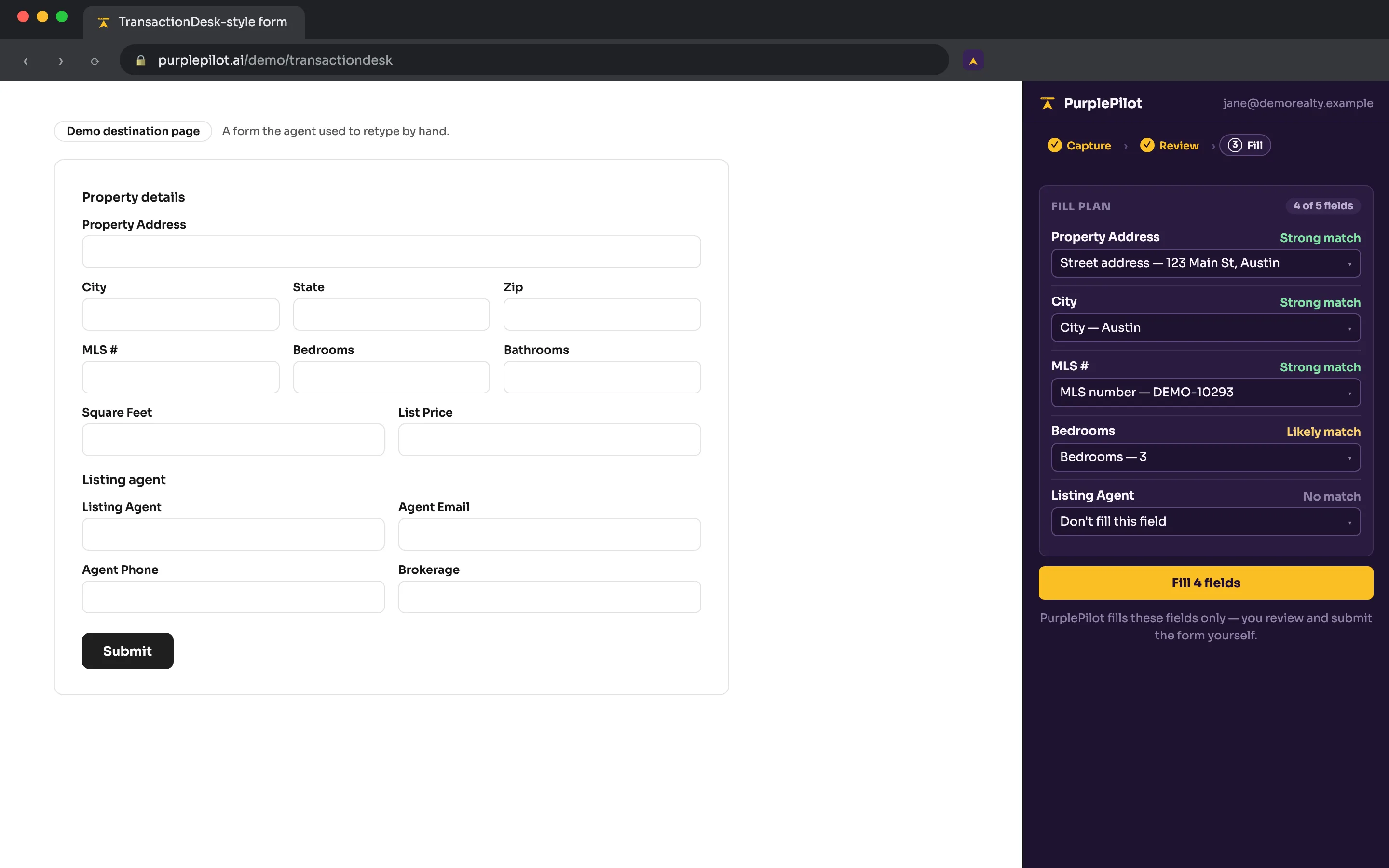
Click Fill this page
PurplePilot discovers the fillable fields on the page, proposes a confidence-scored mapping, and shows you a preview before touching anything.
Step 6 of 6
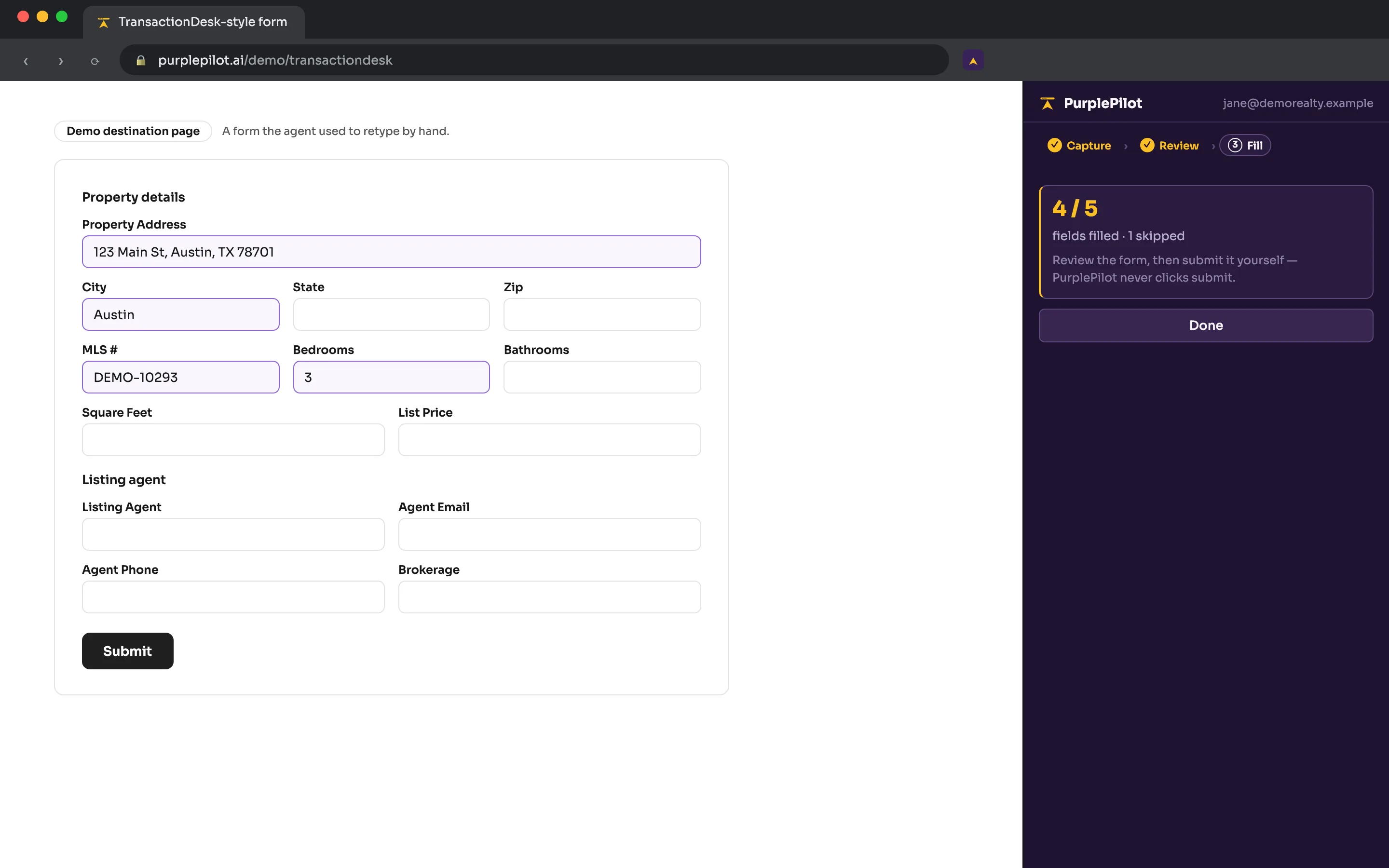
Review and submit yourself
You review the filled form and click that site’s own submit button. PurplePilot never submits a legally binding form automatically.